Decompiler & disassembler
DJ Java Decompiler reconstructs source code from compiled binary CLASS files, including complex Java applets and binaries, and provides essential information about class files.
A stand-alone Windows application for reconstructing source code from compiled Java CLASS files, inspecting bytecode, and working with JAR, ZIP, APK, EAR and WAR archives.
DJ Java Decompiler is designed to make Java class-file inspection straightforward while providing a practical Windows GUI around decompiling, disassembly and related development tools.
DJ Java Decompiler reconstructs source code from compiled binary CLASS files, including complex Java applets and binaries, and provides essential information about class files.
You do not need the Java Virtual Machine or another Java SDK installed to decompile files. When a JDK is installed, DJ can also compile, run, create JAR archives and run applets outside a web browser.
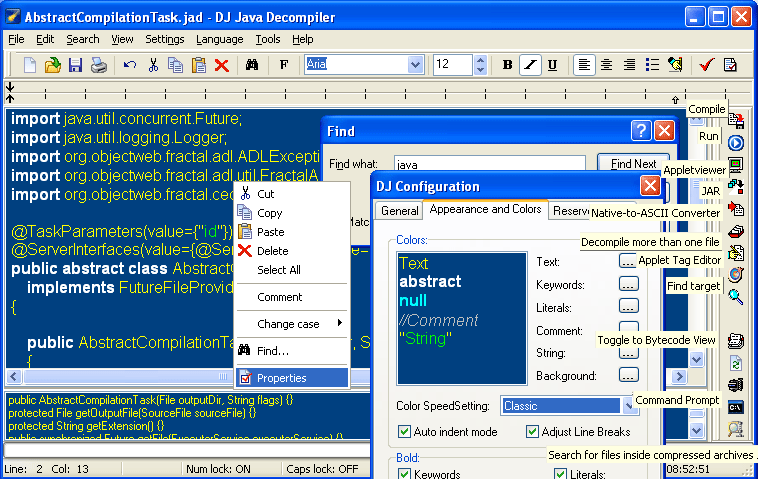
DJ is more than a decompiler and disassembler: it includes a full graphical Java editor with syntax coloring. Open a CLASS file, double-click it in Explorer, or drag and drop it into DJ to see source code quickly.
Use Tools → Decompile more files… to select and decompile multiple compiled Java files at once, including a whole class tree.
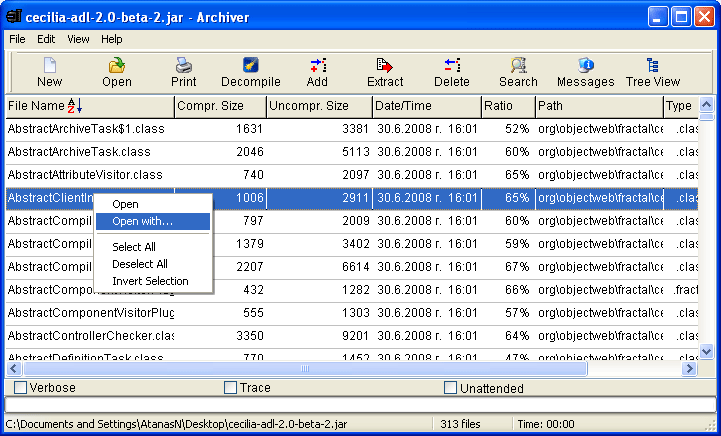
The included “Archiver” tool works with JAR, ZIP, APK, EAR, WAR and EXE archives. Create or view archives, extract files and decompile class files directly from them.
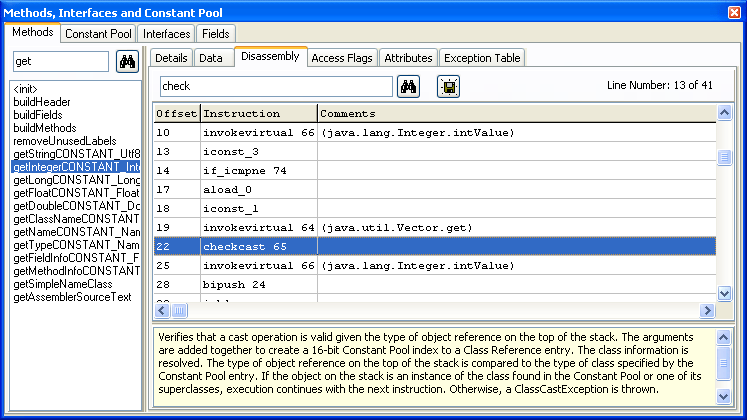
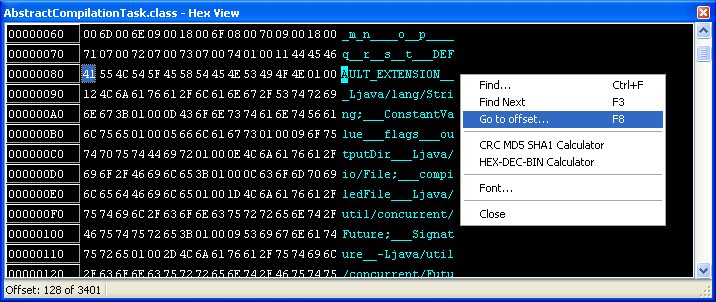
Inspect class version information, access flags, superclass, methods, interfaces, Constant Pool, fields, attributes and general information. The Hexadecimal View (F11) exposes the file at the lowest level.
DJ Java Decompiler supports OLE drag and drop, a Windows Explorer right-click context menu, saving, printing, editing and compiling generated Java code, and decompiling “dead” code. It can add original line numbers as comments in decompiled files, which is useful for debugging. The included Applet Tag Editor helps create applets quickly.
The program can decompile or disassemble CLASS files stored on a local hard disk or network drive. If you do not have write privileges in the source location, change the default output directory for the generated .jad files.
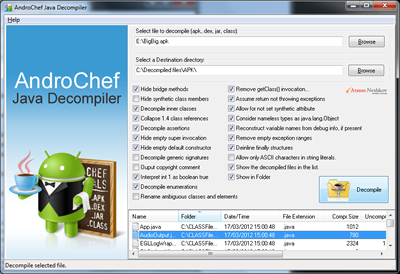
DJ Java Decompiler uses the command-line version of Jad as its traditional decompiling engine and also supports an alternative decompiler engine in version 3.12.12.101. Another Java decompiler resource is available at androiddecompiler.com.

“There are only 10 types of people in the world: those who understand binary and those who don’t.”
DJ Java Decompiler is intuitive enough that you can probably skip the instructions. Once you have downloaded and installed it, use File → Open to open a CLASS or JAR file.
When a class file is opened and decompiled, DJ creates a temporary file with the .jad extension. By default, the output folder is the class file’s folder.
A common problem occurs when the user has no write permission in that location—for example, on CD/DVD media. To solve it, open Settings → Configuration → General, clear Use Default Output Directory for .JAD files, and choose a different output directory. A different output location is also useful when working with slow media or network drives.
DJ Java Decompiler can help recover lost or accidentally destroyed source code.
Decompiling Java is an excellent way to learn both Java and how the Java VM works. DJ makes it easy to inspect Java classes and learn from reconstructed source.
Inspect and debug CLASS files when developers are slow to respond to questions that need immediate answers, and explore the sources of Java runtime libraries.
Explore bytecode, including inline bytecode, and check the results of class-file obfuscation to make sure your code is adequately protected before public release.
All in all, DJ Java Decompiler can be a very handy development tool in your arsenal.
DJ Java Decompiler has been sold via the well-known e-commerce service provider RegNow.
DJ Java Decompiler purchase page
PAD file: http://www.neshkov.com/djdec311.xml
DJ Java Decompiler 3.7.7.81 was freeware. It can still be found at http://dj.navexpress.com/. If you already have a copy and are happy with it, you are welcome to continue using it.
If you like the program and want to help its author continue working on and improving it, a modest donation is greatly appreciated.
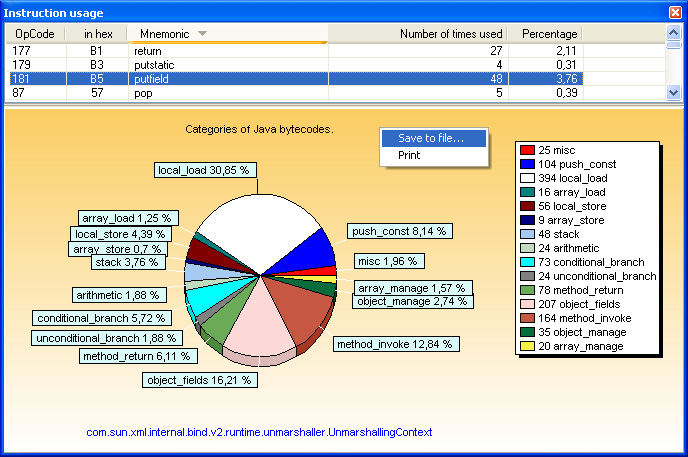
InnerClasses attribute.field_info structure: access_flags, attributes_count and attributes. A Save to file… option is available.Using DJ Java Decompiler, you can reconstruct the source code of an applet or binary CLASS file and review methods, fields, interfaces, attributes, exceptions and other information that would normally be unavailable to anyone except the original programmer.
BootstrapMethods attribute and new Constant Pool types: CONSTANT_InvokeDynamic, CONSTANT_MethodType and CONSTANT_MethodHandle.StackMap and StackMapTable attributes are now properly displayed.
RuntimeVisibleAnnotations, RuntimeInvisibleAnnotations, RuntimeVisibleParameterAnnotations and RuntimeInvisibleParameterAnnotations.main().Search for files inside compressed archives — DJ Java Decompiler Tool
CSIDL_APPDATA), with separate configuration per user. Settings → Associate DJ with… affects HKEY_CURRENT_USER. For compatibility issues, contact Atanas Neshkov.InnerClasses.field_info structure and can save data to a file.ComSpec environment variable and opening a DOS window in the configured initial directory.ACC_ENUM, ACC_ANNOTATION, ACC_BRIDGE and ACC_VARARGS..jad)..class, .java, .jar and .jad files, allowing DJ to open automatically from Windows Explorer or My Computer.
DJ Java Decompiler successfully passed Microsoft-designed tests for compatibility and reliability with Windows 7 and received the “Compatible with Windows 7” logo.

Atanas Neshkov Ltd software development and IT solutions.
If you have any questions regarding DJ Java Decompiler, please email at_neshkov@yahoo.com.
See also: End-User License Agreement (EULA) · How do I Uninstall or Install DJ Java Decompiler · Privacy
Legacy visitor statistics: eXTReMe Tracker.